A digital signature is a mathematical scheme for demonstrating the authenticity of a digital message or document. A valid digital signature gives a recipient reason to believe that the message was created by a known sender, such that the sender cannot deny having sent the message (authentication and non-repudiation) and that the message was not altered in transit (integrity). Digital signatures are commonly used for software distribution, financial transactions, and in other cases where it is important to detect forgery or tampering.
Explanation
Digital signatures are often used to implement electronic signatures, a broader term that refers to any electronic data that carries the intent of a signature, but not all electronic signatures use digital signatures. In some countries, including the United States, India, Brazil, and members of the European Union, electronic signatures have legal significance.
Digital signatures employ a type of asymmetric cryptography. For messages sent through a nonsecure channel, a properly implemented digital signature gives the receiver reason to believe the message was sent by the claimed sender. Digital signatures are equivalent to traditional handwritten signatures in many respects, but properly implemented digital signatures are more difficult to forge than the handwritten type. Digital signature schemes, in the sense used here, are cryptographically based, and must be implemented properly to be effective. Digital signatures can also provide non-repudiation, meaning that the signer cannot successfully claim they did not sign a message, while also claiming their private key remains secret; further, some non-repudiation schemes offer a time stamp for the digital signature, so that even if the private key is exposed, the signature is valid. Digitally signed messages may be anything representable as a bitstring: examples include electronic mail, contracts, or a message sent via some other cryptographic protocol.
Definition
A digital signature scheme typically consists of three algorithms:
- A key generation algorithm that selects a private key uniformly at random from a set of possible private keys. The algorithm outputs the private key and a corresponding public key.
- A signing algorithm that, given a message and a private key, produces a signature.
- A signature verifying algorithm that, given a message, public key and a signature, either accepts or rejects the message's claim to authenticity.
Two main properties are required. First, the authenticity of a signature generated from a fixed message and fixed private key can be verified by using the corresponding public key. Secondly, it should be computationally unfeasible to generate a valid signature for a party without knowing that party's private key.
 Bob |  |  (Bob's public key)  (Bob's private key) |
Bob has been given two keys. One of Bob's keys is called a Public Key, the other is called a Private Key.
| Bob's Co-workers: | ||||
 |  |  | | Anyone can get Bob's Public Key, but Bob keeps his Private Key to himself |
| Pat | Doug | Susan | ||
Bob's Public key is available to anyone who needs it, but he keeps his Private Key to himself. Keys are used to encrypt information. Encrypting information means "scrambling it up", so that only a person with the appropriate key can make it readable again. Either one of Bob's two keys can encrypt data, and the other key can decrypt that data.
Susan (shown below) can encrypt a message using Bob's Public Key. Bob uses his Private Key to decrypt the message. Any of Bob's coworkers might have access to the message Susan encrypted, but without Bob's Private Key, the data is worthless.
| | "Hey Bob, how about lunch at Taco Bell. I hear they havefree refills!" |  | HNFmsEm6Un BejhhyCGKOK JUxhiygSBCEiC 0QYIh/Hn3xgiK BcyLK1UcYiY lxx2lCFHDC/A |
| | HNFmsEm6Un BejhhyCGKOK JUxhiygSBCEiC 0QYIh/Hn3xgiK BcyLK1UcYiY lxx2lCFHDC/A |  | "Hey Bob, how about lunch at Taco Bell. I hear they have free refills!" |
With his private key and the right software, Bob can put digital signatures on documents and other data. A digital signature is a "stamp" Bob places on the data which is unique to Bob, and is very difficult to forge. In addition, the signature assures that any changes made to the data that has been signed can not go undetected.
 |  |  |
| To sign a document, Bob's software will crunch down the data into just a few lines by a process called "hashing". These few lines are called a message digest. (It is not possible to change a message digest back into the original data from which it was created.) |
|  |  |
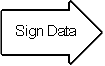
Bob's software then encrypts the message digest with his private key. The result is the digital signature.
| 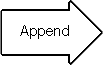 | 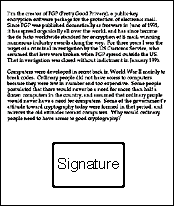 |
Finally, Bob's software appends the digital signature to document. All of the data that was hashed has been signed.
| | |
 | |
Bob now passes the document on to Pat.
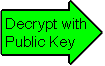
| First, Pat's software decrypts the signature (using Bob's public key) changing it back into a message digest. If this worked, then it proves that Bob signed the document, because only Bob has his private key. Pat's software then hashes the document data into a message digest. If the message digest is the same as the message digest created when the signature was decrypted, then Pat knows that the signed data has not been changed. |
| Doug (our disgruntled employee) wishes to deceive Pat. Doug makes sure that Pat receives a signed message and a public key that appears to belong to Bob. Unbeknownst to Pat, Doug deceitfully sent a key pair he created using Bob's name. Short of receiving Bob's public key from him in person, how can Pat be sure that Bob's public key is authentic? |
It just so happens that Susan works at the company's certificate authority center. Susan can create a digital certificate for Bob simply by signing Bob's public key as well as some information about Bob.
| |  | |  |
Now Bob's co-workers can check Bob's trusted certificate to make sure that his public key truly belongs to him. In fact, no one at Bob's company accepts a signature for which there does not exist a certificate generated by Susan. This gives Susan the power to revoke signatures if private keys are compromised, or no longer needed. There are even more widely accepted certificate authorities that certify Susan.
Let's say that Bob sends a signed document to Pat. To verify the signature on the document, Pat's software first uses Susan's (the certificate authority's) public key to check the signature on Bob's certificate. Successful de-encryption of the certificate proves that Susan created it. After the certificate is de-encrypted, Pat's software can check if Bob is in good standing with the certificate authority and that all of the certificate information concerning Bob's identity has not been altered.
Pat's software then takes Bob's public key from the certificate and uses it to check Bob's signature. If Bob's public key de-encrypts the signature successfully, then Pat is assured that the signature was created using Bob's private key, for Susan has certified the matching public key. And of course, if the signature is valid, then we know that Doug didn't try to change the signed content.
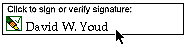
Although these steps may sound complicated, they are all handled behind the scenes by Pat's user-friendly software. To verify a signature, Pat need only click on it.
(c) 1996, David Youd
Permission to change or distribute is at the discretion of the author
Warning: You may be missing a few lines of text if you print this document. This seems to occur on pages following pages that have blank space near the bottom due to moving tables with large graphics in them to the next page so that the images are not split across pages. If this happens to you, simply print out document in sections. (Ex: I have the problem on page 4, so I print pages 1-3, then pages 4-5.)


No comments:
Post a Comment